



How to Navigate the Offline Utility Method for Complex Income Tax Filing Scenarios
How to Navigate the Offline Utility Method for Complex Income Tax Filing Scenarios
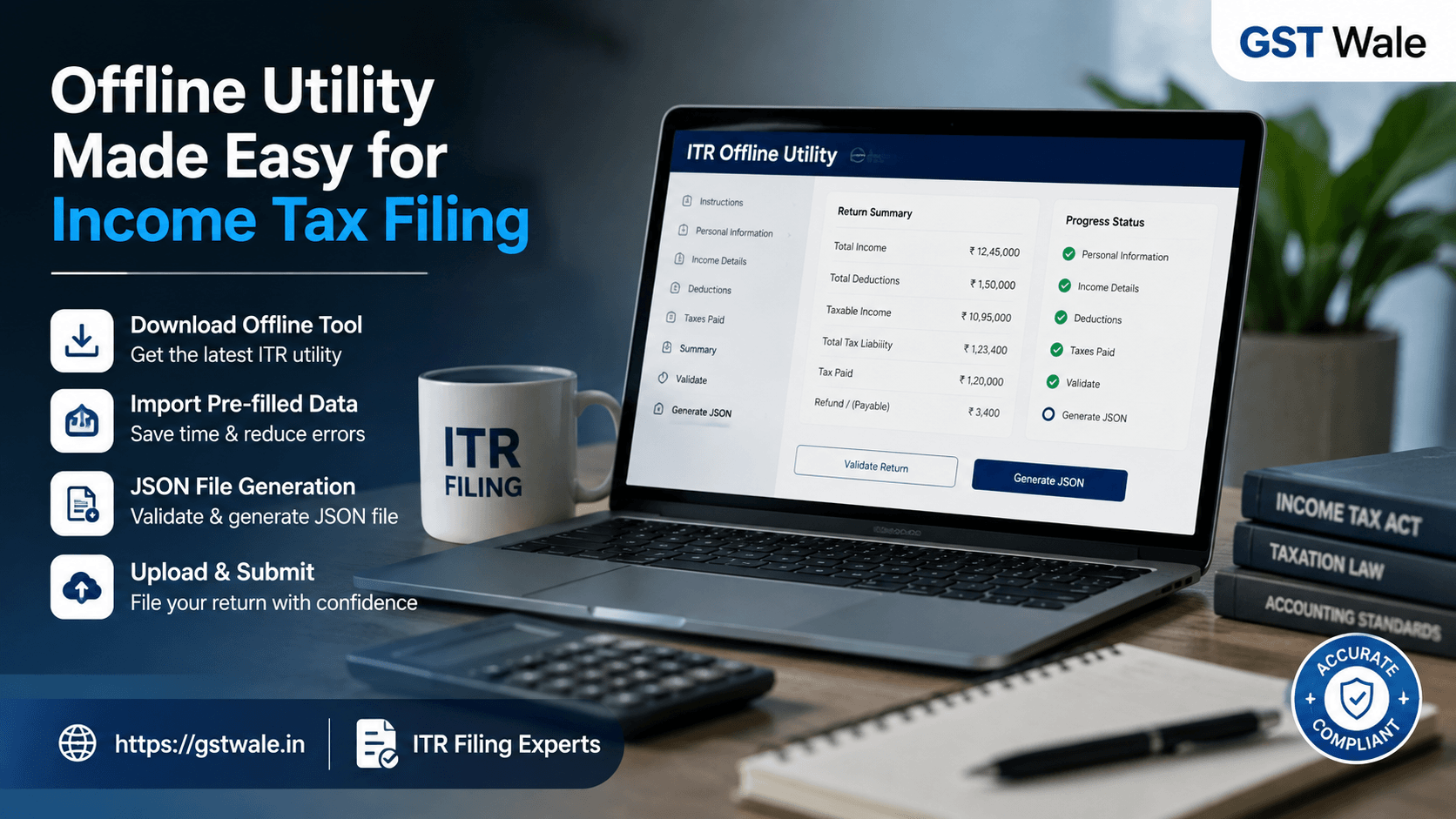
Why Income Tax Filing Can Get Complicated
Income tax filing is usually straightforward when your income comes from salary, bank interest, or a few investments. But things become more challenging when your return involves capital gains, multiple sources of income, business transactions, foreign assets, or complex trading transactions. In such cases, relying only on the online filing process may not always be convenient.
For taxpayers dealing with detailed information, the offline tool can provide better control over data preparation and validation. If you are looking for professional assistance with your return, GST Wale’s ITR Filing service can also help you handle complicated reporting requirements correctly.
The Income Tax Department’s offline utility is particularly useful when a return requires substantial information to be entered, reviewed, validated, and finally converted into a format that can be uploaded on the income tax portal. Understanding how this process works can make income tax filing much less stressful.
What Is the Offline Utility for Income Tax Filing?
The offline utility is a software-based method provided for preparing certain income tax returns without entering all information directly into the income tax portal.
Instead of completing the entire return through your browser, you can download the relevant utility, enter or import your information, validate the return, and generate a JSON file for uploading.
This approach is especially useful when your return contains numerous transactions or multiple schedules that need careful checking.
For example, a salaried taxpayer with only Form 16 income may find online filing convenient. However, a person having business income, capital gains, securities transactions, or several investment records may find the offline method easier to manage.
When Should You Consider the Offline Method?
Not every taxpayer needs the offline utility. However, it can be useful in situations where the return involves extensive information.
Complex Trading Transactions
People involved in share trading, derivatives, or other securities transactions may have hundreds or thousands of individual records. Reporting such transactions correctly can become difficult if information has to be entered manually.
Using properly prepared transaction data with the offline utility can make the process more systematic.
Business or Professional Income
Business owners and professionals may need to provide information relating to turnover, expenses, depreciation, assets, liabilities, and other financial details. Depending on the applicable ITR form, several schedules may need to be completed.
The offline approach allows you to prepare information carefully before submission.
Multiple Sources of Income
A taxpayer may simultaneously have salary, rental income, capital gains, interest income, and business income. In such cases, reviewing the complete return before submission becomes extremely important.
The offline utility gives you an opportunity to organise information schedule by schedule rather than rushing through the online filing process.
How to Start Income Tax Filing Through the Offline Utility
The process may look technical initially, but it becomes easier once you understand the sequence.
Step 1: Identify the Correct ITR Form
Before downloading anything, determine which ITR form applies to your income and circumstances.
The correct form depends on factors such as:
- Salary or pension income
- Business or professional income
- Capital gains
- Income from house property
- Foreign income or assets
- Investment and securities transactions
- Other applicable reporting requirements
Selecting the wrong form can create unnecessary complications later.
Step 2: Download the Relevant Offline Tool
Once the applicable return form is identified, download the corresponding offline tool from the official income tax portal.
Always use the latest available version. Tax rules, schedules, validations, and reporting requirements can change from one assessment year to another.
Using an outdated offline tool may result in validation errors or incompatibility when you try to upload the return.
Step 3: Complete the Schema Download or Import Process
Depending on the available functionality, taxpayers may be able to use pre-filled information from the income tax portal.
The import pre-filled data facility can save considerable time because information already available with the department may be brought into the return.
However, do not assume that pre-filled information is automatically complete or correct.
Review details such as:
- Salary and TDS information
- Interest income
- Dividend income
- Securities transactions
- Tax payments
- Advance tax
- Self-assessment tax
- Other reported financial information
Pre-filled data should be treated as a starting point, not as the final return.
How to Handle Large or Complex Data
One of the biggest advantages of the offline method is the ability to work with structured information.
Use Properly Organised Financial Records
Before entering information, keep your documents ready. Depending on your situation, these may include Form 16, Form 26AS, Annual Information Statement, bank statements, capital gain statements, broker reports, business books, rent records, and tax payment details.
Organising these documents first can significantly reduce errors.
Validate Information Before Submission
After entering the information, use the validation functionality available within the offline tool.
Do not ignore warnings simply because the utility allows you to continue. A warning may indicate missing information, inconsistent figures, or a reporting issue that deserves attention.
For complicated income tax filing cases, validation is one of the most important stages because correcting an error before uploading is much easier than dealing with it after submission.
Understanding JSON File Generation
After completing the return and validating the information, the utility generally allows JSON file generation.
The JSON file contains the structured return information required by the income tax portal.
Think of JSON as the digital package containing the information you entered into the offline utility. You do not normally need to manually edit the JSON file.
Instead, generate it through the utility after completing and validating the return.
A common mistake is to modify the generated file manually without understanding its structure. This can potentially create errors or make the file unacceptable for upload.
Uploading the Return After JSON File Generation
Once the JSON file has been generated, log in to the income tax portal and follow the applicable upload process.
The general workflow is:
- Prepare the return using the offline utility.
- Enter or import the required information.
- Validate the return.
- Generate the JSON file.
- Log in to the income tax portal.
- Upload the generated JSON file.
- Review the uploaded return.
- Complete verification through the applicable method.
The exact portal interface can change, so always follow the current instructions displayed by the Income Tax Department.
Common Mistakes to Avoid During Income Tax Filing
Even experienced taxpayers can make mistakes when dealing with complicated returns.
Ignoring AIS and Form 26AS
Your own records should be compared with information available in AIS and Form 26AS. Differences should be investigated rather than automatically ignored.
Entering Figures Without Supporting Records
Do not estimate figures simply to complete a schedule. Keep supporting documents for income, deductions, investments, expenses, and tax payments.
Forgetting Capital Gains
Taxpayers sometimes focus on salary or business income and overlook capital gains from shares, mutual funds, property, or other investments.
Assuming Pre-Filled Data Is Complete
Pre-filled information can reduce data-entry work, but it does not remove the taxpayer’s responsibility to report all taxable income correctly.
Uploading Without Final Review
Before submitting the return, compare major figures against your financial records. A few minutes of review can prevent significant problems later.
Practical Example: A Trader With Multiple Transactions
Consider an individual who earns salary income but also trades in shares and derivatives.
Their return may involve salary, interest, dividend income, securities transactions, capital gains, and trading-related reporting.
Entering every detail manually without preparation can be time-consuming. A better approach is to collect broker statements, reconcile the transactions, identify the applicable tax treatment, import available pre-filled information, complete the required schedules, validate the return, and then proceed with JSON file generation.
This structured process makes income tax filing easier to review and reduces the possibility of missing important information.
When Should You Take Professional Help?
The offline utility is a useful tool, but the software cannot decide how every transaction should be treated for tax purposes.
Professional assistance may be advisable when you have:
- Significant capital gains or losses
- Complex trading transactions
- Business or professional income
- Foreign income or assets
- Multiple properties
- Tax audit-related requirements
- Large differences between your records and AIS
- Complicated deductions or exemptions
- Previous-year tax issues
A CA or qualified tax professional can help determine the correct tax treatment before the information is entered into the utility.
FAQs About Income Tax Filing Through the Offline Utility
Is the offline utility better than online filing?
Neither method is universally better. Online filing can be convenient for simple returns, while the offline utility can be more practical when the return contains extensive schedules or complex financial information.
What is the purpose of the JSON file?
The JSON file stores the structured return information generated through the offline utility. It is uploaded to the income tax portal as part of the return submission process.
Can I import pre-filled data?
Yes, where the relevant facility is available, taxpayers can import pre-filled information. However, all imported information should be carefully reviewed against personal financial records.
What should I do if the offline tool shows a validation error?
Read the error message carefully and identify the relevant schedule or field. Correct the underlying information and run validation again before generating the final JSON file.
Should traders use the offline utility?
Taxpayers with substantial trading activity may find the offline method useful because it provides a structured way to prepare and review large amounts of transaction-related information. However, the appropriate method depends on the nature of the transactions and applicable ITR requirements.
Make Complex Income Tax Filing More Manageable
Income tax filing does not have to become overwhelming simply because your financial affairs are complicated. The offline utility can provide a structured way to prepare detailed returns, import available information, validate schedules, and complete JSON file generation before uploading the return.
The key is not merely knowing how to operate the offline tool. You also need to understand what information must be reported, reconcile it with your financial records, and review the return carefully before submission.
At GST Wale, we believe accurate income tax filing starts with proper preparation. Whether you are a salaried individual, business owner, professional, investor, or trader dealing with complex transactions, getting the right guidance can help you file with greater confidence.
For reliable tax guidance and professional ITR support, connect with GST Wale and make your income tax filing process simpler, more accurate, and stress-free.
 Previous


