


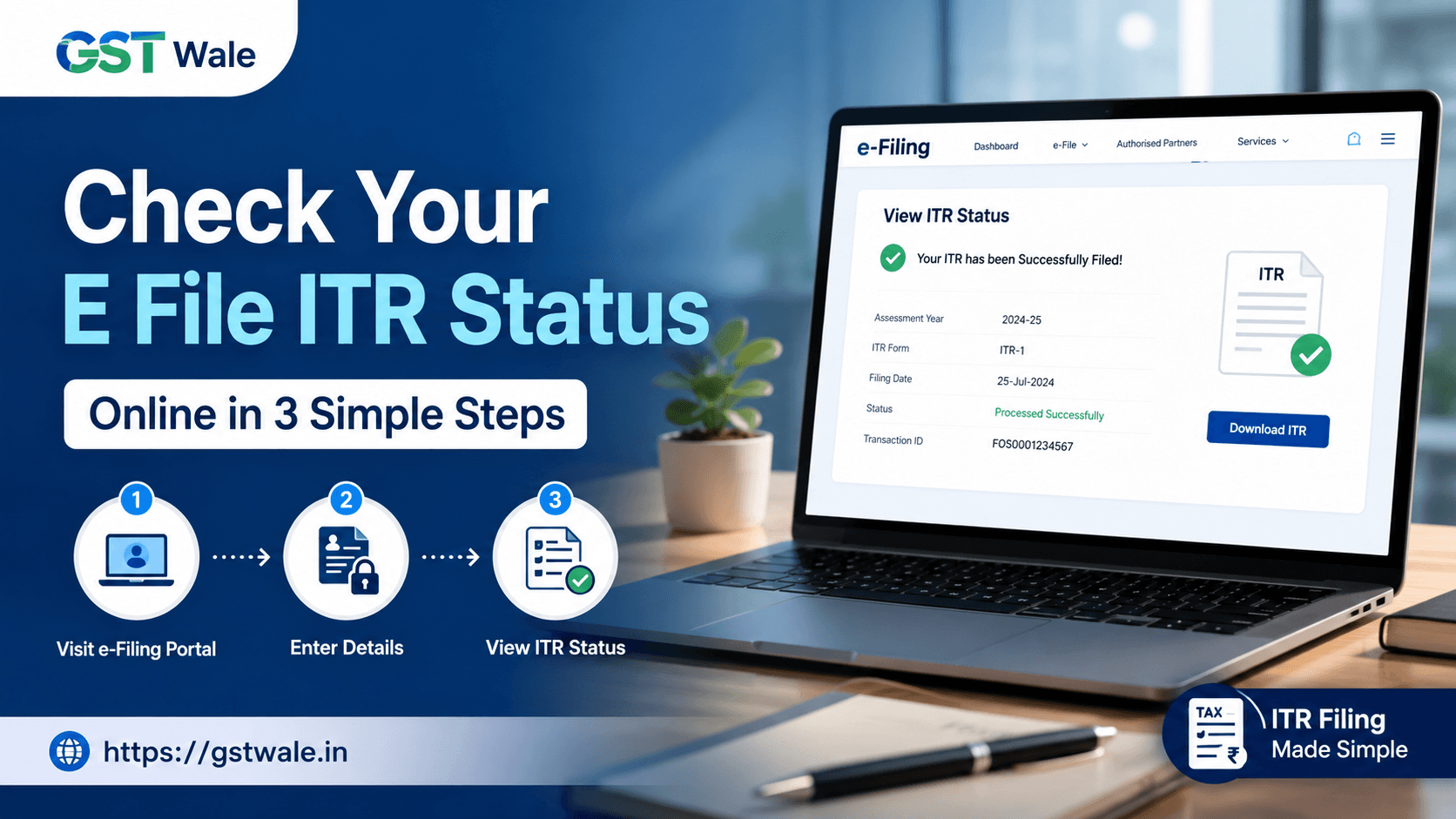
How to Check Your E File ITR Status Online: A Simple 3-Step Process
How to Check Your E File ITR Status Online: A Simple 3-Step Process
So, you have successfully filed your tax return. You hit that final submit button, breathed a massive sigh of relief, and closed the browser tab. Job well done, right? Well, almost.
As tax consultants, one of the most common questions we get from clients after tax season is, "Sir, I completed my e file ITR, but how do I know if the Income Tax Department has accepted it or if my refund is on the way"
Filing your return is only the first half of the battle. The second half is ensuring that your return moves smoothly through the department's pipeline. Leaving your return unmonitored can lead to unexpected surprises, like missing a defective return notice or experiencing endless delays in getting your hard-earned money back.
At GST Wale, we believe in making financial compliance completely stress-free. Whether you are a salaried individual or a small business owner, keeping tabs on your submission ensures you stay ahead of any potential issues. If you haven't submitted your taxes yet or need expert assistance to rectify a filed return, our professional team can handle your ITR Filing smoothly, ensuring accurate submissions and faster processing.
Let’s dive into a simple, jargon-free guide on how to track tax return progress online in just three steps.
Why You Must Track Your Return Status
Many taxpayers assume that once they finish their e file ITR journey, their job is entirely done. However, your return passes through multiple stages before it is officially finalized.
Tracking your status helps you:
Catch Verification Misses: If you forget to e-verify your return within the mandated timeline (which is currently 30 days from filing), your ITR becomes invalid. It's treated as if you never filed it at all!
Check Tax Refund Status: If you have a refund due, tracking tells you exactly where the money is stuck—whether it’s approved, sent to the bank, or failed due to a mismatched bank account layout.
Spot Department Errors early: If the tax department finds a mismatch in your income or TDS data, they issue a notice. Spotting this early gives you time to file a revised return.
How to Check Your E File ITR Status: The 3-Step Process
The Income Tax Department offers two ways to check your status: without logging in (quick check) and by logging into your dashboard (detailed check). We will focus on the dashboard method because it gives you a complete picture of your income tax processing timeline.
Step 1: Log in to the Official Income Tax Portal
First, head over to the official Income Tax e-filing portal. Click on the 'Login' button in the top right corner.
You will need to enter your User ID, which is typically your PAN (Permanent Account Number) or your Aadhaar number. Enter your password, clear the secure access message prompt, and click continue to open up your personalized taxpayer dashboard.
Step 2: Navigate to 'View Filed Returns'
Once you are on your dashboard, look at the top menu bar. Click on the 'e-File' tab, hover over 'Income Tax Returns', and select 'View Filed Returns' from the dropdown menu.
This screen acts as your historical tax ledger. It lists every single year you have filed a return through the portal, sorted by Assessment Year (AY).
Step 3: Locate the Assessment Year and Read Your Status
Find the specific Assessment Year you want to check. Right next to the details, you will see a life-cycle tracker showing the exact e-filed status of your form.
To see the detailed breakdown, click on 'View Details'. This will display a timeline of your return's movement, showing the date it was filed, the date it was e-verified, and its current stage in processing.
Understanding the Different Status Terms
When you look at your dashboard, the system will show a specific status term. Here is what those technical terms actually mean for you:
1. Submitted and Pending for Verification
This means you have successfully uploaded your data, but you haven't verified it yet. Remember, your e file ITR is legally incomplete without verification. Make sure to e-verify it using Aadhaar OTP, Net Banking, or by sending a physical copy of the ITR-V to Bengaluru immediately.
2. Successfully e-Verified / Verified
Your return has been received and verified. It is now sitting securely in the tax department's queue, waiting for an assessing officer or the automated system to pick it up for review.
3. Under Processing
The system is actively analyzing your return. It is checking the income you declared against the data available in your Form 26AS and AIS (Annual Information Statement). This is the core stage of income tax processing.
4. Processed
Great news! The department has completed its verification. They will send you an intimation notice under Section 143(1) to your registered email ID. This notice will state whether your calculation matches theirs, if there is a tax demand, or if a refund is approved.
Quick Method: Track Without Logging In
If you don't remember your login password and are in a rush, you can still perform a basic check.
On the homepage of the e-filing portal, look under the 'Quick Links' section on the left side and click on 'Income Tax Return (ITR) Status'.
You will be asked to enter your PAN, the ITR acknowledgment number (the 15-digit number found on your ITR-V receipt), and a valid mobile number for an OTP. Once you enter the OTP, the system will display the current status of that specific return. While quick, this method won't show you the detailed history or refund payment failures.
Frequently Asked Questions
How long does it take for an e file ITR to be processed?
There is no fixed timeline, but thanks to technology upgrades, many straightforward returns are processed within a few days to a couple of weeks. However, complex returns involving business income can take anywhere from a few weeks to a few months.
I see 'Refund Failure' in my status. What should I do?
This happens when the bank account details provided during filing do not match your PAN records, or if your bank account is not pre-validated on the tax portal. Log in to your profile, validate your correct bank account, and then submit a 'Refund Reissue Request' under the Services tab.
Where can I find my ITR acknowledgment number?
When you finish filing, a confirmation form called ITR-V is generated. The 15-digit number listed at the top right of this form is your acknowledgment number. It is also sent to your registered email address immediately after submission.
Can I track tax return status if I filed physically?
Physical filings are incredibly rare now and generally discouraged. If you submitted a physical paper return, it takes significantly longer to appear on the online system since it requires manual data entry by department officials.
Let GST Wale Handle Your Taxes
Managing passwords, decoding tax intimations, and tracking refunds can feel like a secondary chore when you are busy running a business or managing a demanding career. One tiny clerical error during filing can delay your refund for months.
At GST Wale, we eliminate the guesswork. Our expert team doesn't just stop at filing; we monitor your return until it is completely processed and your refund hits your account safely. If you want a seamless experience, reach out to us today and let the professionals handle your tax compliance from start to finish!
 Previous