


How to Digitally Sign and Efile ITR Using Digital Signature Certificate (DSC)
How to Digitally Sign and Efile ITR Using Digital Signature Certificate (DSC)
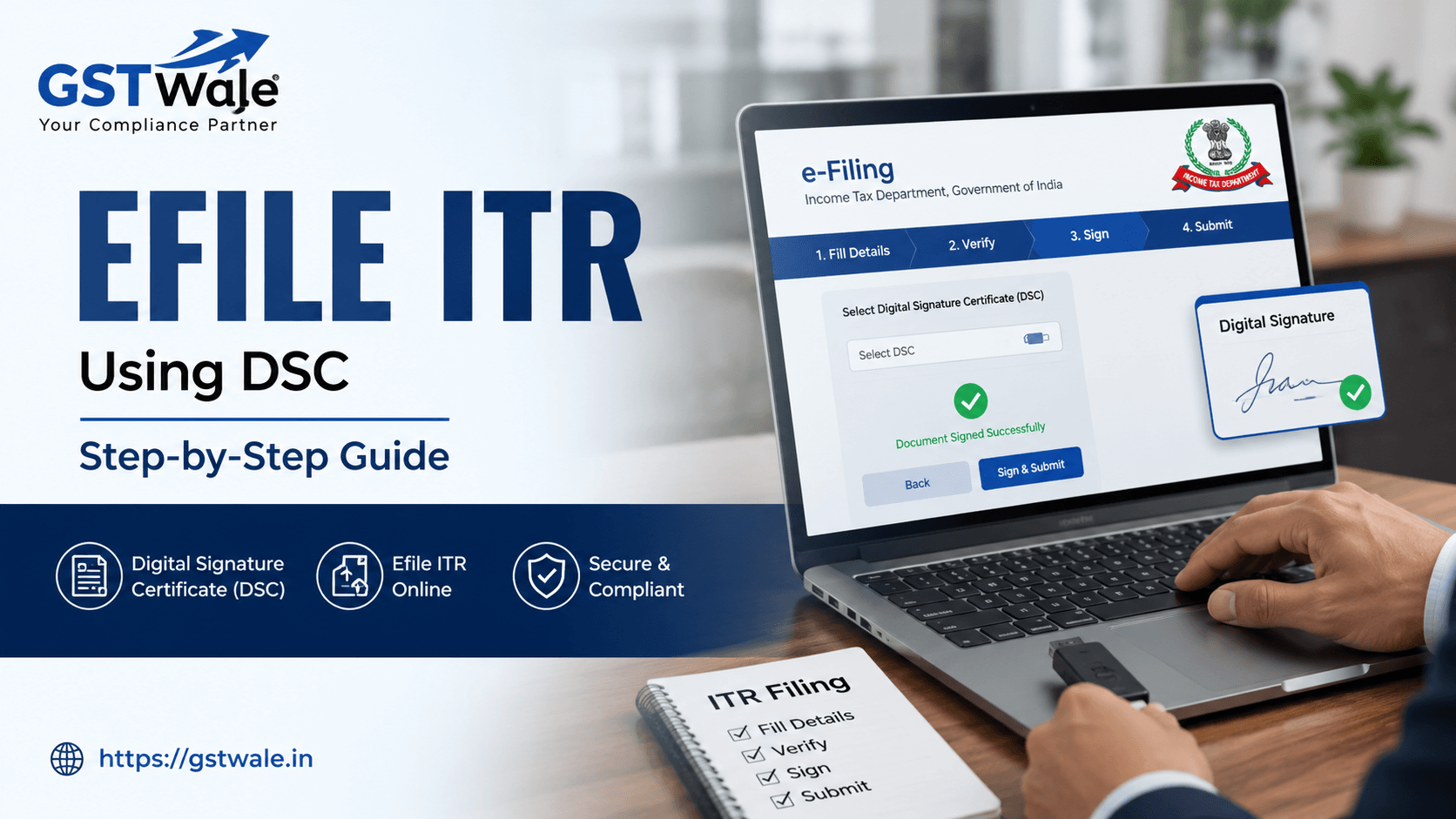
Every year, as the tax season approaches, taxpayers in India often find themselves juggling deadlines and documentation. Whether you are a business owner or a professional, understanding how to efile itr correctly is the first step toward financial compliance. At GST Wale, we believe that tax compliance shouldn't be a nightmare, which is why we offer comprehensive ITR Filing support to take the heavy lifting off your shoulders. While many individual taxpayers opt for Aadhaar-based OTP verification, certain categories of taxpayers—especially companies and firms—must mandatorily use a Digital Signature Certificate (DSC) to complete their tax obligations.
In this guide, we will break down the entire process of how to efile itr using your DSC, ensuring you stay ahead of the curve and avoid last-minute penalties.
Why You Need a Digital Signature Certificate (DSC) for Income Tax
A Digital Signature Certificate is essentially your digital identity in the cyber world. It serves the same purpose as a handwritten signature but with added layers of security. For corporate entities and tax-audited businesses, the Income Tax Department mandates the use of a DSC to verify returns.
Using a DSC ensures the integrity of your efile itr process, as it is nearly impossible to forge or tamper with. It provides a secure e-filing process that protects your financial data from unauthorized access, giving you peace of mind when submitting sensitive information to the government.
Prerequisite Steps Before You Digitally Sign ITR
Before you log into the Income Tax portal, you need to ensure your system is ready. Trying to digitally sign ITR without the correct environment setup often leads to errors like "DSC not found" or "Java applet failure."
Valid DSC: Ensure your Class 3 DSC is active and has not expired.
EmBridge/Signer Utility: Download and install the latest emBridge utility from the Income Tax portal. This is mandatory to bridge the communication between your browser and your DSC token.
Browser Requirements: Use a stable, updated browser (Chrome or Edge is recommended). Clear your browser cache to ensure a smooth connection.
Java Environment: Ensure the latest version of Java is installed and enabled in your browser settings if required by the specific utility version.
How to Register Your DSC on the Income Tax Portal
You cannot digitally sign ITR unless your DSC is registered and linked to your PAN on the income tax portal. Here is how you do it:
Log in: Visit the official e-filing portal and log in using your User ID and Password.
Navigate to Profile: Go to the "Profile" section and select "Register DSC."
Enter Email: Provide the email ID associated with your DSC.
Verification: Once you connect your USB token, the portal will prompt you to select your certificate. Enter your provider password to verify the signature.
Confirmation: Once successful, you will receive a message confirming that your DSC has been successfully registered.
Step-by-Step: How to Efile ITR Using DSC
Once your DSC is registered, you can proceed to the actual filing process. Follow these steps to efile itr seamlessly:
Prepare the ITR Form: Complete your ITR form as usual using the offline utility or the online portal.
Go to Submission: When you reach the verification page, select the option: "I would like to verify using Digital Signature Certificate (DSC)."
Attach the Signature: Attach your DSC token to your computer. When the prompt appears, select your certificate and enter the PIN (password) of your DSC token.
Generate Token: If you are using the offline utility, you will need to generate a tax portal token file. This JSON file is then uploaded to the portal and signed digitally at the final step.
Final Submission: Once signed, submit the return. You will receive an acknowledgment receipt. Remember, you do not need to send the physical ITR-V to CPC, Bengaluru when you verify through DSC.
Expert Tips for a Smooth Experience
At GST Wale, we have helped countless clients navigate the efile itr process. Here are a few "pro-tips" from our desk:
Renew in Time: Don't wait for the last week to renew your DSC. It takes 2–3 days for the issuance process.
Check Token Compatibility: Ensure your USB token driver is compatible with the latest Windows updates.
Keep Your PIN Safe: Never share your DSC PIN with unauthorized personnel. It is the digital equivalent of your ATM pin.
Cross-Verify Data: Before hitting that "Sign" button, triple-check your financial data. Once signed with a DSC, the return is considered "verified," and corrections thereafter require the revision process.
Frequently Asked Questions
Can I use a Class 2 DSC for ITR filing?
No, the Income Tax Department currently mandates a Class 3 Digital Signature Certificate for all corporate and audited efile itr submissions.
What if my DSC utility is not detected?
This is a common issue. Usually, it is resolved by updating the "emBridge" utility or clearing your browser cookies. Ensure your USB token is plugged in before you open the browser.
Is it mandatory to use DSC for individuals?
No, it is not mandatory for individuals, but it is highly recommended for professionals who want a secure e-filing process. However, for companies, LLPs, and those undergoing tax audits, DSC is mandatory.
What happens if I lose my DSC token?
If you lose your token, you must immediately revoke the certificate through the certifying authority to prevent misuse. You will then need to purchase a new DSC and register it again on the portal.
Simplify Your Tax Compliance with GST Wale
Filing taxes is more than just a legal requirement; it is a vital part of your financial health. While learning to efile itr is a great skill, sometimes it pays to have an expert by your side to ensure every deduction is claimed and every compliance guideline is followed.
Don't let the complexities of tax portals hinder your business growth. At GST Wale, we specialize in simplifying taxation for individuals and businesses alike. Let our experienced Chartered Accountants handle your filings so you can focus on what you do best—growing your venture.
 Previous